
Create an UpToDate® Lexidrug™ account:
- Navigate to lexi.com/account/create/ while on the Saint Luke’s network or Citrix.
- Complete registration information using your Saint Luke’s email address, and click “Create Account.”
Access UpToDate® Lexidrug™ via mobile app:
- Log in to your UpToDate® Lexidrug™ account (created above) at online.lexi.com using a computer on a Saint Luke’s network computer or Citrix.
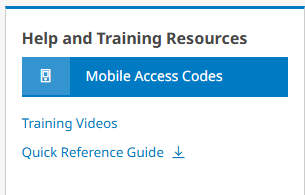
Click the blue “Mobile Access Codes” button on the lower half of the page to the right, under “Help and Training Resources.”
3. Complete the drop-down questions “Select your platform” and “Are you a new or existing customer?”
4. Scroll down to see the current Saint Luke’s authorization code and activation instructions. Follow these instructions order to activate your UpToDate® Lexidrug™ mobile app subscription.
5. Download the UpToDate® Lexidrug™ mobile app using the Apple App Store or Android Google Play Store.
6. Open UpToDate® Lexidrug™ mobile app, and enter your Saint Luke’s email address. Click “Continue” button.
7. Enter your password, and click “Sign in.”